Introduction
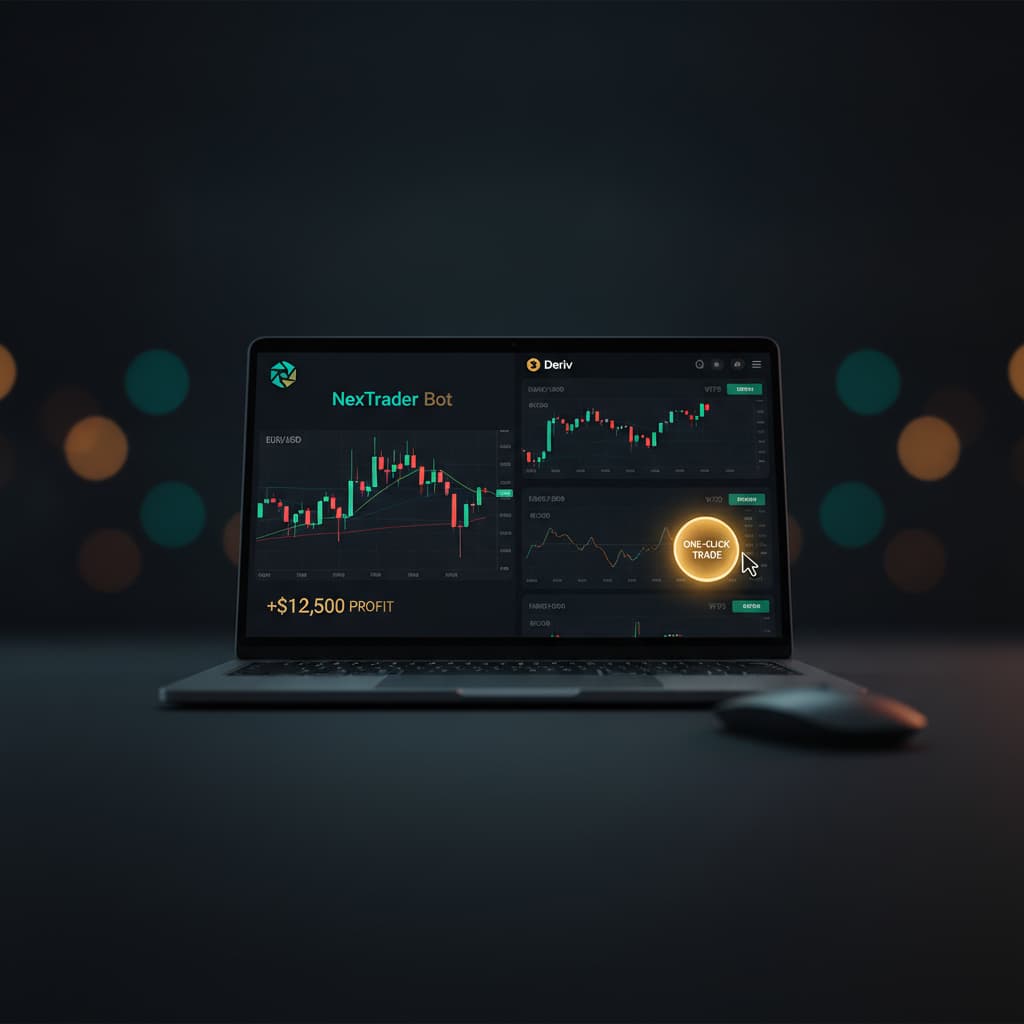
Welcome to the Nextrader ecosystem! This tutorial is your ultimate guide to harnessing the power of automated trading on Deriv.com without writing a single line of code. We’re going to walk you through the simple, step-by-step process of running Your First Free Deriv bot on NexTrader Bot in just one click.
This guide is specifically designed for Deriv traders, whether you're a complete beginner looking to explore automated strategies or an experienced trader seeking to streamline your workflow. By the end of this tutorial, you will have successfully connected your Deriv account, navigated the NexTrader Bot Hub, and launched a ready-to-run deriv bot to execute trades on your behalf, all within a secure and user-friendly environment. Get ready to experience the ease of automated deriv trading with Nextrader's 100% free tools.
What You Need Before Starting
Before diving in, make sure you have these essentials:
- A Deriv.com Account: A free Deriv account is necessary. We highly recommend starting with a Deriv Demo Account for practice and familiarization.
- A Free Nextrader Account: You can sign up quickly at Sign Up Free — Nextrader. This gives you access to the entire Nextrader ecosystem, including NexTrader Bot.
- A Deriv API Token: This secure token allows NexTrader Bot to connect to your Deriv account and execute trades on your behalf. Don't worry, we'll show you how to generate it safely.
- An Internet Connection: A stable connection ensures smooth operation of your deriv trading bot.
Step 1: Create Your Free Nextrader Account
Your journey to effortless automated trading begins with creating a free Nextrader account. This account grants you full access to our suite of powerful tools, including the NexTrader Bot, without any subscriptions or hidden fees.
Load a Free Deriv Bot in One Click
Browse 747+ ready-to-run Deriv bots — Rise/Fall, Over/Under, Even/Odd, Match/Differ. No coding, free forever.
- 747+ Free Bots
- One-Click Load
- Rise/Fall & Digits
- Demo or Real
1. Navigate to the Signup Page: Open your web browser and go to Sign Up Free — Nextrader.
2. Enter Your Details: You'll be prompted to enter a valid email address and create a secure password. Make sure to choose a strong, unique password to protect your account.
3. Confirm Your Account: After submitting your details, check your email inbox (and spam folder, just in case) for a confirmation link from Nextrader. Click this link to verify your email address and activate your account.
4. Log In: Once your account is confirmed, return to Nextrader App and log in using your newly created credentials. You'll be greeted by the Nextrader dashboard, your central hub for all our free tools.
Creating your Nextrader account is the first crucial step to accessing hundreds of binary bots and starting your automated trading experience. It’s quick, simple, and entirely free, setting the stage for you to explore the vast library of deriv bots available.
Step 2: Generate Your Deriv API Token
To allow NexTrader Bot to interact with your Deriv account securely, you need to generate a Deriv API Token. This token acts as a digital key, granting specific permissions to Nextrader without ever exposing your Deriv password. It's a standard and secure method for third-party applications to connect.
1. Log In to Your Deriv Account: Go to deriv.com and log in to your Deriv account.
2. Access API Tokens: Once logged in, navigate to Settings (usually found by clicking your profile icon or a gear icon) and then select API Tokens.
3. Create a New Token: On the API Tokens page, you'll see an option to "Create a new token" or "New token". Click this button.
4. Assign Permissions: This is a critical step. For NexTrader Bot to function correctly, it needs specific permissions. Select the following permissions:
* Read: Allows the bot to read your account balance, trading history, and available assets.
* Trade: Allows the bot to place and cancel trades on your behalf.
Do NOT* select "Admin" or "Payments" permissions, as these are not required and could pose unnecessary security risks.
5. Name Your Token (Optional but Recommended): Give your token a descriptive name, such as "Nextrader Bot Access," so you can easily identify it later.
6. Generate and Copy: Click "Create" or "Generate Token." Deriv will then display your unique API token. This token will only be shown once, so it's crucial to copy it immediately and securely. You can click the copy icon next to the token string to ensure you get the full, correct sequence.
This API token is your bridge between Deriv and NexTrader Bot. Keep it confidential, just like a password. If you ever suspect your token has been compromised, you can revoke it from your Deriv API Tokens page and generate a new one.
Step 3: Connect Your Deriv Account to NexTrader Bot
With your Deriv API token in hand, you're now ready to connect your Deriv account to the NexTrader Bot platform. This is where the magic begins, linking your trading capital (or demo funds) directly to our powerful bot library.
1. Access NexTrader Bot: Open a new tab or window and go to NexTrader Bot.
2. Locate the API Token Input: On the NexTrader Bot homepage, you'll immediately see an input field clearly labeled "Enter your Deriv API Token here" or similar.
3. Paste Your API Token: Carefully paste the Deriv API token you copied in Step 2 into this input field. Double-check that there are no extra spaces before or after the token string.
4. Select Account Type: Below the API token input, you'll find an option to select your Deriv account type. For your first run, it is highly recommended to select "Deriv Demo Account." This allows you to test any free Deriv bot without risking real money. Once you're comfortable, you can switch to your "Deriv Real Account."
5. Connect: Click the "Connect" or "Login" button.
Upon successful connection, the NexTrader Bot dashboard will load. You'll see your live demo balance (or real balance if you chose that option) displayed prominently, along with controls like "Run" and "Stop," and other dashboard elements. This confirms that NexTrader Bot is now securely linked to your Deriv account and ready to receive trading instructions from the binary bots.
Step 4: Discover and Load Your First Free Deriv Bot
NexTrader Bot boasts a vast library of over 747 ready-to-run Deriv bots, making it incredibly easy to find a strategy that suits you. For this tutorial, we'll focus on finding and loading one of the many Free Deriv Bots available.
1. Navigate to the Bot Hub: On the NexTrader Bot dashboard, look for a prominent section or button labeled "Bot Hub." Click on it to browse the full bot library.
2. Filter for Free Bots: The Bot Hub organizes bots by various criteria. To find your first free deriv bot, look for filter options. There will be a clear distinction between "Free Bots" and "Premium Bots." Select the "Free Bots" filter to narrow down your selection.
3. Explore Bot Categories: Within the Free Bots section, you can further explore bots grouped by contract type:
* Rise/Fall: Bots designed for predicting whether the asset price will rise or fall.
* Over/Under: Bots for predicting if the last digit of the tick will be over or under a certain value.
* Even/Odd: Bots for predicting if the last digit will be even or odd.
* Match/Differ: Bots for predicting if the last digit will match or differ from a chosen digit.
You'll also find bots categorized by their underlying logic: Tick, Indicator, or Candle based bots.
4. Choose a Named Bot: Look for specific, named bots like "Rise Rocket," "Fall Falcon," "Even Comet," "Over 2 Blaze," "Under 8 Flash," or "Odd Bolt." These are popular choices and excellent for beginners. You'll notice badges like "Trending," "Hot," or "Most-used" next to popular bots, indicating their current popularity. Also, note the "1-Tick" and "1-Tick Turbo" speed designations, which refer to how fast the bot can execute trades.
5. Load in ONE Click: Once you've identified a free deriv bot you'd like to try (e.g., "Rise Rocket"), simply click on its name or a "Load Bot" button associated with it. This is the "one-click" action. The bot will instantly load into your NexTrader Bot interface, ready for configuration. You don't need to download any files or import XML code; it's all handled seamlessly within the platform.
The Bot Hub is designed for effortless discovery, allowing you to browse, filter, and load powerful binary bots with unprecedented ease.
Step 5: Configure and Run Your Deriv Trading Bot
Now that your chosen free Deriv bot is loaded, it's time to set its parameters and unleash its trading power. Even though these are block-based bots, you don't need to understand any coding. NexTrader Bot makes configuration intuitive and straightforward.
1. Review Bot Settings: Once the bot is loaded, you'll see its block-based structure on the screen. Don't be intimidated by the blocks; they represent the bot's logic, but your focus will be on the user-friendly input fields. Key settings you'll typically find include:
* Initial Stake: This is the amount of money the bot will use for each individual trade. Start with a very small amount, especially on a demo account (e.g., 0.35 USD).
* Maximum Loss (Stop Loss): This is a crucial risk management parameter. Set the maximum total amount you are willing to lose before the bot automatically stops trading. For example, if you set it to 10 USD, the bot will stop if your total loss reaches that amount.
* Desired Profit (Take Profit): This defines your profit target. Once the bot accumulates this much profit, it will automatically stop trading. For example, if you set it to 5 USD, the bot will stop when your profit reaches 5 USD.
* Currency: Ensure this matches your Deriv account currency (e.g., USD, EUR).
* Trade Duration/Ticks: For 1-Tick and 1-Tick Turbo bots, this is usually fixed or very short.
2. Adjust Parameters (If Necessary): Based on your risk tolerance and goals, adjust the "Initial Stake," "Maximum Loss," and "Desired Profit" values. Remember, starting small on a demo account is always the best practice.
3. Confirm Account Type: Double-check that you are still connected to your "Deriv Demo Account" for this initial test run.
4. Click "Run": Once you're satisfied with your settings, locate the prominent "Run" button on the NexTrader Bot dashboard (usually green). Click it to activate your deriv trading bot.
5. Monitor the Dashboard: As the bot runs, the dashboard will come alive. You'll see real-time updates on your balance, the results of individual trades (win/loss), and the bot's overall profit/loss. This live feedback is essential for understanding how your chosen binary bot performs.
6. Click "Stop": At any point, if you wish to pause or end the bot's operation, simply click the "Stop" button (usually red). The bot will cease placing new trades.
Congratulations! You have successfully configured and run your first free Deriv bot on NexTrader Bot without any coding. This foundational experience opens the door to exploring more advanced strategies and optimizing your automated trading journey.
Pro Tips
Here are a few expert tips to enhance your NexTrader Bot experience:
- Always Start with a Deriv Demo Account: Before deploying any deriv bot on a real account, thoroughly test it on your Deriv Demo Account. This allows you to understand its behavior, refine parameters, and build confidence without financial risk.
- Explore Diverse Contract Types: Don't limit yourself to just one type of binary bots. Experiment with bots designed for Rise/Fall, Over/Under, Even/Odd, and Match/Differ contracts. Each type offers unique trading opportunities on Deriv synthetic indices.
- Pay Attention to Bot Badges: The "Trending," "Hot," and "Most-used" badges in the Bot Hub are valuable indicators of popular and potentially effective strategies. While past performance isn't a guarantee, these can be good starting points for discovery.
- Join the Nextrader Telegram Community: Connect with thousands of other traders in our Telegram group at Telegram. It's a fantastic resource for sharing insights, asking questions, and getting support from both experienced users and the Nextrader team.
Start Now
Ready to run your first free Deriv bot and revolutionize your trading?
Head over to NexTrader Bot to get started immediately.
Don't have a Nextrader account yet? Sign up for free at Sign Up Free — Nextrader.
Join our vibrant community on Telegram: Telegram
Trading involves risk. Past performance does not guarantee future results.